
How Plumbers Can Win More Local Jobs with Google Business Profile
When someone’s water heater isn’t working, be the plumber with the best profile when they Google ‘plumber near me.’
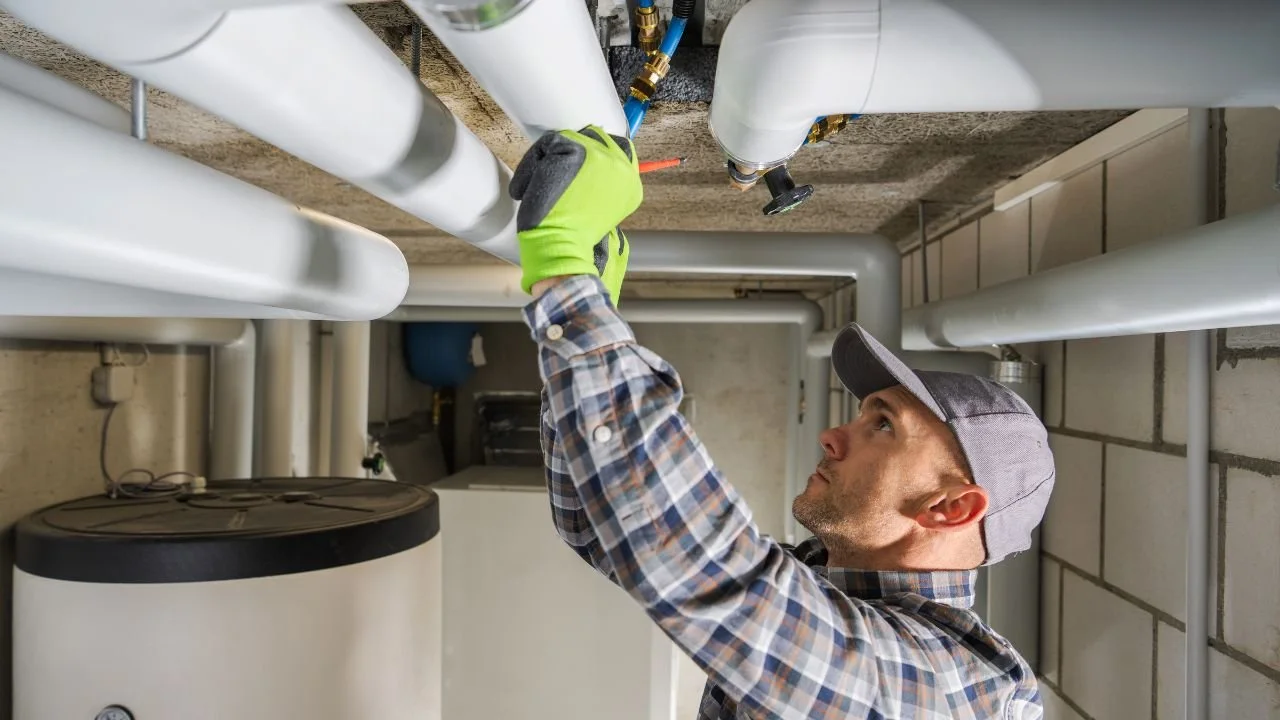
When someone has a leaking pipe, clogged drain, or broken water heater, there’s a good chance their first move is to pull out their phone and search “plumber near me.” The question is: does your plumbing business show up?
A well-optimized Google Business Profile can help your plumbing business appear in local Google Search and Maps results, show off your services and customer reviews, and make it easy for potential customers to call or head to your website. For a local plumbing business, it’s one of the simplest (and free!) ways to help more people in your area find and choose you.
Why Google Business Profile Matters for Plumbers
Google Business Profile (formerly Google My Business) is a completely free tool that lets you manage how your business shows up across Google Search and Maps.
You’ve seen these profiles plenty of times. Search for something like “plumber near me,” and they’re the local businesses that pop up with reviews, hours, photos, phone numbers, services, and directions.
For plumbers and other service-area businesses, this is prime Google real estate. And unlike paid ads, you don’t have to pay every time someone finds or clicks on your business.
Google Business Profile Helps Plumbers:
Appear in local Google searches
Show up on Google Maps
Display customer reviews
List services and service areas
Let customers call you directly from Google
Send potential customers to your website
The best part? Setting one up isn’t complicated. You just need to make sure you’re giving Google—and your potential customers—the right information.
How to Set Up a Google Business Profile for a Plumbing Business
If you don’t already have a Google Business Profile, start by creating or claiming yours. Then we’ll make sure it’s filled out with the information that actually matters.
Step 1: Claim and Verify Your Profile
Start with the basics:
Use your actual business name
Select the correct business type
Choose Plumber as your primary category
Add any secondary categories that truly apply to your business
Add your phone number and website
Set the areas you serve
Complete Google’s verification process
One important note for plumbers: you don’t need a storefront to have a Google Business Profile. Plumbing companies can be set up as service-area businesses, which means you can tell Google where you work without displaying your home address to customers.
How Google Verifies Your Business
Once you’ve entered your information, Google will tell you how you can verify your business. The options available vary, so you may see video verification, phone or text, email, live video, or mail.
Don’t panic if Google asks you to make a verification video. It sounds more intimidating than it is.
For a plumbing business, Google may ask you to show things that prove the business is real and that you actually operate it—like your work vehicle, tools, business documents, or other evidence connected to the company.
Just follow the verification method Google gives you. Once you’re approved, you can start managing your full profile.
Step 2: Fill Out Your Profile Completely
This is where a lot of small businesses drop the ball.
They claim their profile, add a phone number and maybe their hours...and then never touch it again.
Take a little extra time to fill yours out properly. The more accurate and useful information you give potential customers, the easier it is for them to figure out whether you're the plumber they need.
Write a Useful Business Description
Your business description doesn’t need to sound fancy. In fact, it probably shouldn’t.
Clearly explain what you do, where you do it, and what makes your plumbing business different.
Naturally mention important services you offer—like water heater repair, drain cleaning, sewer line repair, or emergency plumbing—as well as the cities or areas you serve.
If you’re licensed and insured, offer 24/7 emergency service, provide free estimates, or have another reason someone should choose you, say that too.
The goal isn’t to cram as many keywords as possible into the description. It’s to make it really easy for Google and potential customers to understand your business.
List ALL of Your Plumbing Services
And I mean all of them.
Your website should usually focus attention on your main services so you don’t overwhelm people. Your Google Business Profile is different.
If you offer it, list it.
That might include:
Emergency plumbing
Drain cleaning
Water heater repair
Water heater installation
Leak detection
Pipe repair
Frozen pipe repair
Sewer line repair
Toilet repair
Faucet repair
Garbage disposal installation
Don’t assume a small service isn’t worth adding. Someone may be searching Google for that exact thing.
Add Real Photos of Your Business and Work
You do not need a professional brand photoshoot to have good photos on your Google Business Profile.
Pull out your phone.
Take photos of completed jobs, water heater installations, your work truck, your team, equipment, before-and-afters, and other real examples of the work you do.
For a local service business, these photos help potential customers see that there are actual people and actual work behind the business.
Just make sure you have permission before posting anything from inside a customer’s home.
Keep Your Profile Updated
You don’t have to turn Google Business Profile into another social media account you have to babysit.
But don’t completely forget about it either.
Add a photo from a recent job. Share an occasional update. Make sure your hours are correct. Add new services when you start offering them.
A little regular maintenance is much more manageable than trying to remember your Google profile exists once every two years.
Step 3: Build Trust With Reviews
If someone is standing in their kitchen with water where water definitely should not be, they probably aren’t going to spend three weeks carefully researching plumbers.
They’re going to look at who serves their area, who seems trustworthy, and who has good reviews.
That makes reviews one of the most important parts of your Google Business Profile.
Ask Happy Customers for Reviews
Don't just hope people remember to leave one. After a successful job, ask.
Google gives you a direct review link that you can text or email to customers, which makes the process really simple. Save that link somewhere easy to access so you aren't hunting for it every time.
You can keep the request simple:
“Thanks again for choosing us! If you were happy with the work, we’d really appreciate a quick Google review. It helps other local customers find our business: [review link]”
Respond to Your Reviews
Take a minute to respond when someone leaves you a review.
You don’t need to write a paragraph. Thank them for choosing your business and, when it makes sense, mention the work you completed.
And yes, respond to the not-so-great reviews too. Keep it professional, don't get into an argument, and remember that your response isn't only for the unhappy customer, it’s also being read by future customers deciding whether to hire you.
Answer Common Questions
Your profile may also give customers ways to find answers to common questions about your business.
Make sure the information they’re likely looking for is easy to find:
Do you offer emergency plumbing?
What areas do you serve?
Are you licensed and insured?
Do you work on water heaters?
Do you provide estimates?
What are your business hours?
The easier you make it for someone to get the information they need, the easier you make it for them to choose you.
Bonus: Manage Your Google Business Profile From Your Phone
This is my favorite tip because it makes keeping your profile updated so much easier.
Download the Google Maps app and make sure you’re signed into the Google account connected to your business.
From there, you can access your Business Profile right from your phone to respond to reviews, grab your review link, update information, and add photos.
And this is where being a plumber actually works in your favor.
You’re already out doing the work every day. When you finish a particularly nice installation or repair, snap a photo and add it to your profile. It takes a couple of minutes, and you slowly build up a library of real work without having to sit down and create a bunch of “content.”
Simple is the goal here.
You don’t need to spend hours every week managing your Google Business Profile. Get the foundation right, keep your information accurate, collect reviews, and add real examples of your work as you go.
Your Google Business Profile and Website Should Work Together
A Google Business Profile can help someone find your plumbing business, but your website helps them decide whether they want to hire you.
Think about what happens after someone finds you on Google. They might check your reviews first, then click over to your website to see if you offer the service they need, whether you work in their area, and how to get in touch.
Your website should make those answers really easy to find. At a minimum, a plumbing website should clearly show:
What plumbing services you offer
The cities or areas you serve
Your phone number and contact information
Customer reviews or testimonials
Photos of your actual work
Licensing, insurance, or other credentials when applicable
A clear way to request service or get a quote
Google Business Profile and your website aren't replacements for each other. They do different jobs.
Google helps people find you. Your website helps them choose you.
And make sure the website linked from your Google Business Profile is actually helping you make a good first impression. If someone clicks through and can't immediately figure out what you do, where you work, or how to contact you, you're making them work way too hard.
Google Business Profile Checklist for Plumbers
If you already have a profile and aren't sure whether you've covered everything, start here.
Make sure your Google Business Profile has:
Your correct business name
Plumber selected as your primary category
Relevant secondary categories
An accurate phone number
Your website linked
Your current business hours
The cities or areas you serve
A clear business description
A complete list of your plumbing services
Real photos of your team, work, or vehicles
Recent customer reviews
Responses to customer reviews
Up-to-date business information
You don't have to tackle everything at once. If your profile has been sitting untouched for a while, spend 20 minutes going through this list and fixing the obvious gaps first. Then make keeping it updated part of your normal routine.
Take a photo when you finish a job you're proud of. Ask a happy customer for a review. Double-check your hours around holidays. Add a new service when you start offering it. Little updates add up.
Frequently Asked Questions About Google Business Profile for Plumbers
-
Yes. Google Business Profile is free to create and manage. You don't have to pay Google to have your plumbing company appear through your Business Profile in Google Search and Maps.
Google does offer paid advertising separately, but you do not need to run Google Ads to have a Google Business Profile.
-
Yes. Plumbers can create a Google Business Profile as a service-area business, which is meant for businesses that travel to their customers rather than serving them at a traditional storefront.
You can specify the areas your plumbing company serves without treating your home as a public storefront.
-
If you run your plumbing company from home and customers don't actually visit you there, your address generally shouldn't be displayed publicly. Instead, set up your profile as a service-area business and list the areas where you provide plumbing services.
If you have a legitimate staffed location where customers can visit during your stated business hours, that's a different situation.
-
For most plumbing companies, Plumber is the appropriate primary category.
You can add relevant secondary categories when they accurately describe other parts of your business, but don't add categories simply because you want to appear in more searches. They should reflect services your business actually provides.
-
Add the plumbing services you actually offer, including specific services customers may search for.
Depending on your business, that could include drain cleaning, water heater repair, water heater installation, leak detection, sewer line repair, emergency plumbing, frozen pipe repair, toilet repair, faucet repair, and garbage disposal installation.
Don't limit your profile to your three biggest services. If you offer something a customer might search for, it's worth including.
-
The simplest way is to ask happy customers shortly after completing a job and send them your direct Google review link.
Save the link somewhere easy to access on your phone so you can quickly text it to a customer instead of relying on them to go find your profile themselves.
And don't make the request complicated. A simple “If you were happy with the work, we'd really appreciate a Google review” is enough.
-
There's no magic posting schedule you need to follow. Focus instead on keeping your business information accurate and adding useful, current information when you have it.
Respond to reviews as they come in, update hours when they change, add new services when needed, and upload real photos from jobs periodically.
You don't need another social media account to manage every day.
-
You can have a Google Business Profile without a website, but having both gives potential customers more information when they're deciding who to hire.
Your Google Business Profile can help someone discover your business through Search or Maps. Your website gives you more room to explain your services, show your work, establish trust, answer questions, and give customers a clear way to contact you.
In other words:
Get found on Google. Give them a reason to choose you on your website.
Make It Easy for Local Customers to Find You
You don't need some complicated local marketing strategy to get started.
Set up your Google Business Profile correctly. Fill out your services. Add real photos. Ask happy customers for reviews. Keep your information accurate. And make sure the website you send people to clearly explains what you do and how they can hire you.
That's a pretty solid foundation for helping more local customers find your plumbing business when they're already searching for the services you provide.
And if your Google profile is doing its job but your website could use some work, that's where I come in.
Panhandle Design builds straightforward Squarespace websites for small businesses that want to look professional, get found, and make it easier for customers to take the next step.
Need a website? Check out our custom services →
Like saving money? Take a short cut and checkout our templates →
